Sending an Authorization Request for Prescriptions in a Batch
When a batch is scheduled, prescriptions that do not have refills remaining can have authorizations sent to the prescriber, only if the batch hasn't started processing.
To send a authorization request for a prescription in a batch:
- From the Workbench, select the Pending tab.
- Use the calendar navigation buttons to move to the day that batch is scheduled.
- Select Filter. The Filter window opens.
- Enter the word NOT.
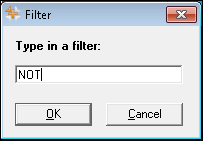
- Select OK. The Pending tab is filtered and prescriptions that display NOT in the Auth column require authorization.
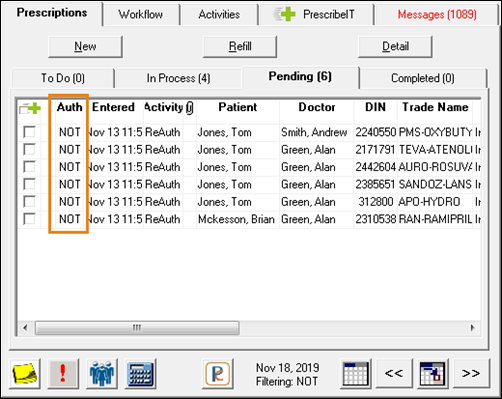
- Highlight the prescriptions that need to be authorized.
Note: If all filtered prescriptions need authorization, select the Select All button to highlight all prescriptions.
- Select Rx > Auth Request. The Authorization Request Form window opens.
- Process the authorization request as usual. For more information about authorizing prescriptions, see Requesting Authorization for a Refill.
- Once sent, the Request Details is populated with information about when the authorization was sent.
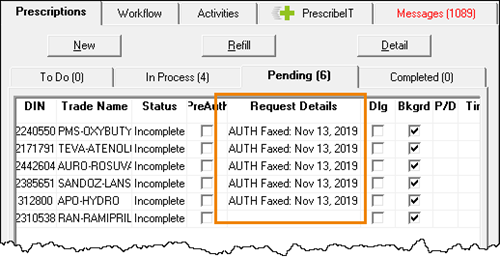
Note: You may need to scroll to the right to view the Request Details, depending on how the columns of the Pending tab are set at your pharmacy.
- Once sent, the Request Details is populated with information about when the authorization was sent.